LED Rental Display: The Complete Guide for Event Rental Businesses
How to choose a rental LED display: pixel pitch, indoor vs outdoor, cabinet types, control systems, installation, and ROI for event rental businesses.
Every event production company reaches the same decision point: a client asks for a 6-meter LED wall, the AV subcontractor quotes $ 8,000, and you realize you could own the screen for the price of five rentals. That is the moment the rental LED display business starts to look like a real revenue line instead of an expense line.
This guide covers what event rental operators need to know about rental LED displays: how the technology is built, how to pick the right pixel pitch, indoor versus outdoor requirements, what the cabinets look like, how fast they go up, what to charge, and how to buy without overpaying.
What Is a Rental LED Display?
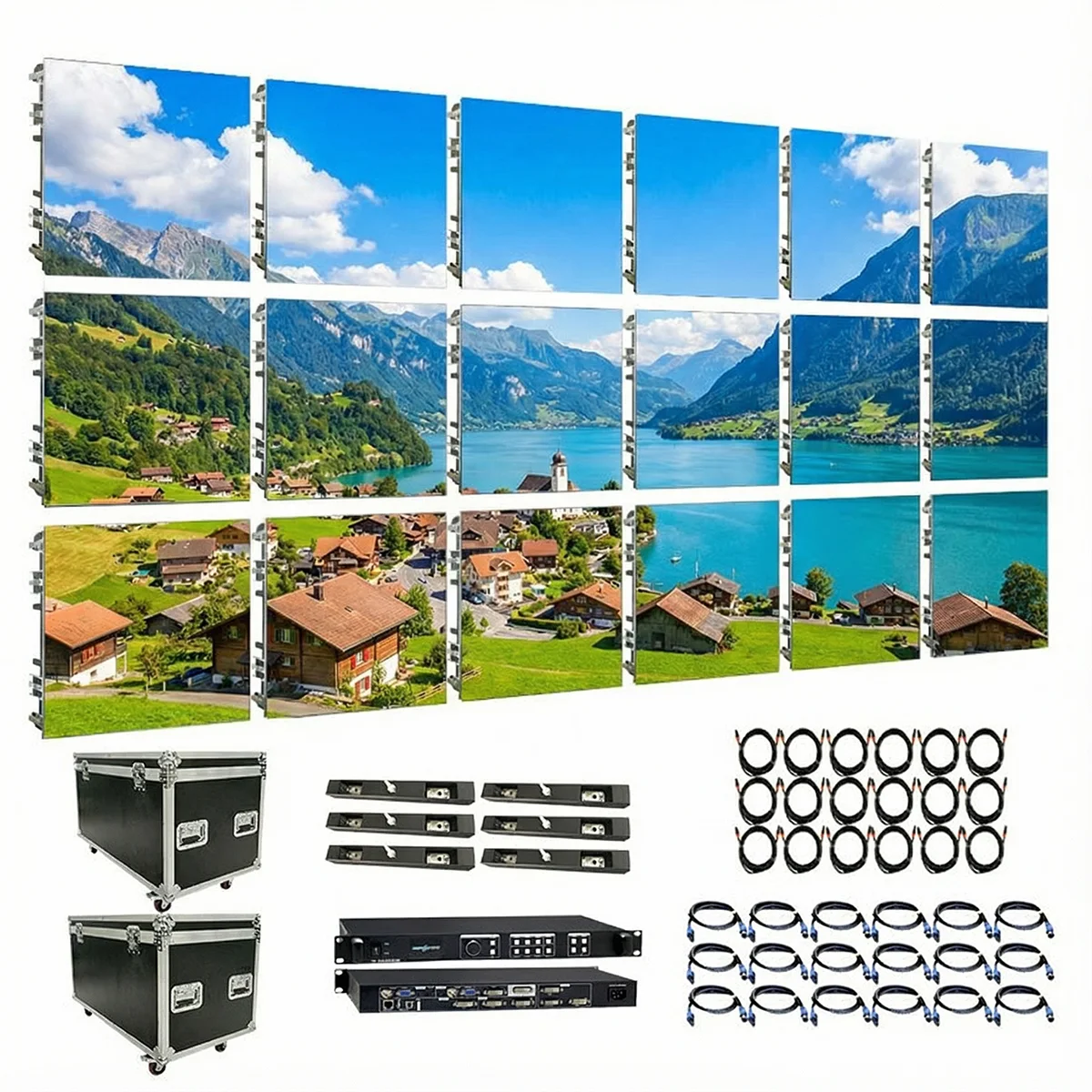
A rental LED display is a modular video wall built for repeated setup and teardown. Instead of a permanent installation welded into a building, a rental screen is made of lightweight cabinets that lock together with quick-release mechanisms, run on temporary power, and pack into flight cases for transport.
The three core components:
- Cabinets. The structural frame of the screen. Rental cabinets are made of die-cast aluminum to keep weight down. A standard 500mm x 500mm die-cast cabinet weighs 6-9 kg, light enough for one person to handle. Cabinets lock together with quick-lock or magnetic connectors.
- LED modules. The light-emitting face of the screen. Each cabinet carries 1-4 modules, and each module contains hundreds of RGB LED pixels. Modules slide into the cabinet frame and connect via a simple plug, so a damaged module swaps in under a minute.
- Control system. A video processor, sending cards, and receiving cards. The processor receives the video signal from a computer or camera, the sending card transmits it over fiber or network cable, and each cabinet's receiving card decodes and drives its own pixels.
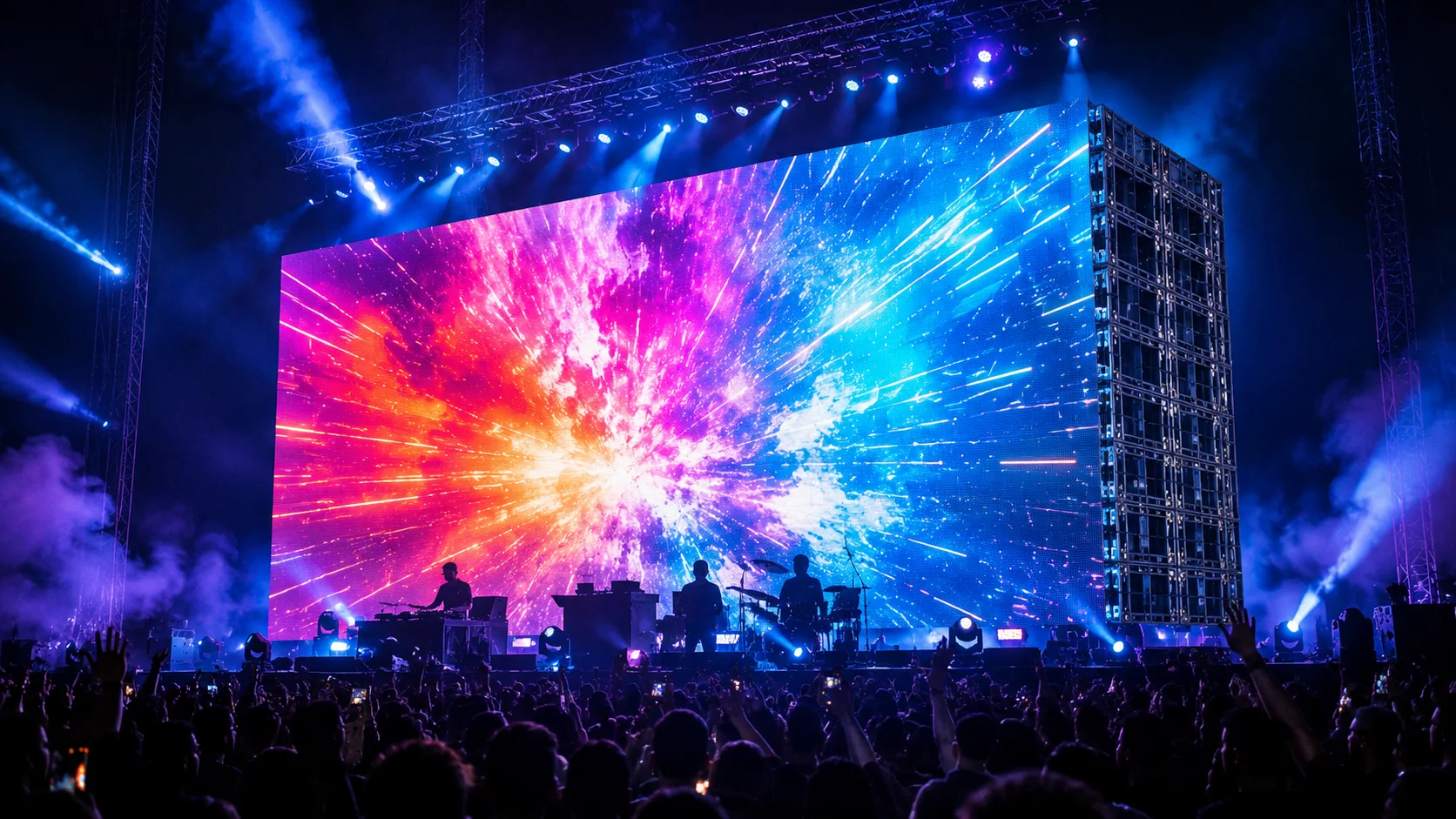
Rental displays are the standard visual solution for concerts, conferences, trade shows, weddings, product launches, and sports events. They replace projection screens with something brighter, sharper, and visible in daylight.
How Rental LED Displays Work
The display chain from video source to glowing pixels looks like this:
- A computer, camera, or media server outputs video (HDMI or SDI signal)
- The video processor scales the input and maps it to the screen's resolution
- The sending card transmits the mapped signal over fiber, network cable, or wireless
- Each cabinet's receiving card receives its portion of the signal
- The receiving card drives the cabinet's LED modules, updating pixels thousands of times per second
Two numbers define how sharp the screen looks: pixel pitch and refresh rate.
- Pixel pitch is the distance in millimeters between the center of one pixel and the next. Smaller pitch = more pixels per area = sharper image.
- Refresh rate is how often the screen redraws per second, measured in Hz. Rental screens run 1,920-3,840 Hz. Above 3,000 Hz, cameras do not capture flicker or scan lines, which matters for broadcast and photo coverage.
A P3.91 screen (3.91mm pitch) has roughly 65,000 pixels per square meter. A P2.6 screen has about 148,000. The pixel count difference is why finer pitch costs more: the module hardware, drivers, and processing power all scale with pixel density.
Pixel Pitch Explained: P1.9, P2.6, and P3.91
Pixel pitch is the single most important buying decision for a rental display. Choose too fine and you overpay for resolution nobody can see. Choose too coarse and the client's front-row guests see individual pixels.
The viewing distance formula:
Minimum comfortable viewing distance (meters) ≈ pixel pitch (millimeters)
- P3.91: sharp from ~4 meters. The standard general-purpose rental pitch. Good for stages, conference backdrops, trade show walls, and outdoor events viewed from mid-distance.
- P2.6: sharp from ~2.6 meters. For events where the audience sits closer: exhibitions, product launches, press conferences, and indoor stages with front rows within 3 meters.
- P1.9: sharp from ~2 meters. Premium close-viewing applications: broadcast sets, high-end exhibitions, luxury product presentations, and IMAG screens where cameras push in close.
| Pixel Pitch | Pixels/m² | Sharp From | Typical Use | Relative Cost/m² |
|---|---|---|---|---|
| P1.9 | ~277,000 | 2 m | Broadcast sets, luxury exhibitions | $ $ $ (highest) |
| P2.6 | ~148,000 | 2.6 m | Exhibitions, product launches, press conferences | $ $ |
| P3.91 | ~65,000 | 4 m | Concerts, stages, conferences, general rental | $ (most common) |
The rule that saves money: pick the coarsest pitch that still looks sharp at your closest typical viewing distance. Most first-time buyers buy one pitch grade finer than they need. For a stage wall where the nearest audience member is 5 meters away, P3.91 is correct, and P2.6 is a $ 10,000+ upgrade you cannot charge extra for.
Fact: BiaoMing (Event Golden) manufactures P1.9, P2.6, and P3.91 rental LED displays with lightweight die-cast aluminum cabinets, TÜV Rheinland certified.
Indoor vs. Outdoor Rental LED Displays
Rental screens come in indoor and outdoor versions, and they are not the same product with a rain cover.
| Specification | Indoor Rental LED | Outdoor Rental LED |
|---|---|---|
| Brightness | 800-1,500 nits | 5,000-6,500 nits |
| Waterproofing | None needed (IP20-IP40) | IP65 cabinet + module sealing |
| Weight per m² | 12-18 kg | 20-30 kg |
| Cost per m² (P3.91) | $ 800-$ 1,500 | $ 1,300-$ 2,200 |
| Cooling | Passive, light airflow | Fans + thermal design for solar load |
| Best for | Conferences, trade shows, indoor concerts | Festivals, outdoor stages, day events |
| Transport weight | Lighter, more m² per truck | Heavier, fewer m² per truck |
Brightness is the outdoor differentiator. Sunlight washes out a screen below ~4,500 nits. Outdoor screens push 5,000-6,500 nits so content stays visible in full daylight. That brightness generates heat, which is why outdoor cabinets have active cooling and thermal management.
Waterproofing is the outdoor risk factor. Outdoor screens need IP65 sealing on cabinets and modules, drainage paths, and corrosion-resistant connectors. Rain, humidity, and coastal salt air attack the weakest seal first. Buyers who treat IP rating as a marketing badge instead of a maintenance requirement learn the difference in year two.
Most rental companies buy both, but not at the same time. A company starting with corporate indoor events buys indoor screens first. Outdoor units join the fleet when festival and outdoor gig bookings justify the higher cost. The two product lines serve different clients and rarely compete for the same booking.
For a deeper comparison of fixed-installation indoor and outdoor screens, see our guide to indoor vs. outdoor LED displays.
Key Technical Specifications
| Specification | Typical Range | Why It Matters |
|---|---|---|
| Cabinet size | 500x500mm, 500x1000mm, 576x576mm | Standard rental sizes lock across brands; mixed fleets need matched sizes |
| Cabinet weight | 6-9 kg (die-cast aluminum) | One-person handling limit is ~10 kg |
| Pixel pitch options | P1.9 / P2.6 / P3.91 | Drives resolution and cost per m² |
| Brightness | Indoor: 800-1,500 nits; Outdoor: 5,000-6,500 nits | Determines daylight legibility |
| Refresh rate | 1,920-3,840 Hz | Above 3,000 Hz for flicker-free camera capture |
| Gray scale | 16-bit or higher | Smooth gradients without banding |
| IP rating | Indoor: IP20-40; Outdoor: IP65 | Water and dust protection |
| Service life | 5-8 years commercial rental | Before LED modules need replacement |
| LED module rating | 100,000 hours | Module replacement is the normal aging path |
| Connection | Quick-lock (rotary latch) or magnetic | Assembly speed and joint flatness |
| Control | Synchronous + asynchronous | Live content or stored loops |
| Power per m² | 150-400W (varies by content brightness) | Generator and circuit planning for events |
Cabinet Types: Die-Cast Aluminum vs. Steel
Rental cabinets are made two ways, and the choice affects weight, flatness, and price.
| Feature | Die-Cast Aluminum | Steel / Welded |
|---|---|---|
| Weight | 6-9 kg per 500mm cabinet | 12-18 kg |
| Joint flatness | Excellent, precise casting | Good, but warps with heat and abuse |
| Corner durability | Cast corners resist dents | Welded corners bend on impact |
| Cost | Higher | Lower |
| Typical use | Premium rental fleets | Budget screens, fixed installs |
For rental use, die-cast aluminum is the industry standard for one reason: the screen's image quality depends on the joints between cabinets being perfectly flat. A 0.5mm step between cabinets is visible as a grid line in the image. Die-cast aluminum holds flatness through hundreds of assembly cycles; welded steel does not.
Installation Methods
Rental LED displays go up three ways:
1. Hanging (flown). Cabinets are pre-rigged to truss or a chain hoist system, then lifted into place. Standard for concert stages and large conference backdrops. Requires rated rigging points and a certified rigger for anything above head height.
2. Stacking (ground-supported). Cabinets build up from the floor on a steel base or stage deck. Standard for trade show booths, exhibition walls, and press backdrops. No rigging certification needed, but the base must be level and the stack must be braced.
3. Stage backdrop (hybrid). Screen hangs behind a stage, often at an angle or curved using variable-lock cabinets. Arc-shaped backdrops use cabinets with adjustable corner locks that allow 0-10 degrees of curvature per joint.
Assembly speed. Two crew members assemble 20-30 m² per hour of P3.91. A typical 12 m² wall: 30-45 minutes of cabinet assembly, plus 30 minutes for rigging and cabling. Dismantling takes half that. The full cycle for a one-day event, from truck to show-ready, is typically 2-3 hours with a two-person crew.
Control Systems: Synchronous vs. Asynchronous
| Feature | Synchronous Control | Asynchronous Control |
|---|---|---|
| Content source | Live from computer/camera | Stored in media player |
| Latency | Real-time | N/A (plays stored loops) |
| Best for | Live broadcasts, IMAG, camera-facing | Signage, logos, scheduled loops |
| Computer required | Yes, at all times | No |
| Resolution ceiling | Scales to full wall | Usually under 2.3M pixels per player |
| Typical price | Higher (processor + sending card) | Lower (media player box) |
When to buy which: Every rental fleet needs synchronous capability for live events. The question is whether to also buy asynchronous players. Companies serving corporate events with pre-produced loops can run those on asynchronous players and keep the synchronous rig for live shows. For a first fleet, buy the synchronous system; add asynchronous players later.
ROI for Rental Businesses
Rental LED displays are high-ticket items that pay back faster than most equipment, but the numbers must work per square meter.
Purchase cost (indoor P3.91, complete system):
- 12 m² (4m x 3m) of P3.91 cabinets at $ 1,000/m² = $ 12,000
- Video processor + sending card = $ 1,500
- Flight cases, cables, spare modules = $ 2,000
- Total investment: ~$ 15,500
Per-event revenue (12 m² wall):
- Rental rate: $ 450/m²/day × 12 m² = $ 5,400/day
- Technician on-site: $ 300-$ 500
- Typical per event: $ 5,700-$ 5,900
ROI timeline:
- 2 events/month at $ 5,700 = $ 11,400/month
- Equipment recovered in 1.5 months (3 events)
- Realistic: 20-30 rental days for full recovery, typically 6-18 months of business
Bundling strategy:
| Package | Includes | Price |
|---|---|---|
| Display only | 12 m² wall, delivery, setup, basic content loop | $ 5,400 |
| Display + Production | Wall + video technician + custom content + LED Dance Floor | $ 8,500 |
| Full Stage | Wall + technician + 360 Photo Booth + lighting | $ 11,000 |
The economics rule: LED walls are a volume business. The screen earns nothing sitting in a flight case. Operators who keep the wall booked 8+ days per month see the strongest returns, which is why most rental companies pair LED walls with their existing photo booth and dance floor rental lines to fill the calendar.
Fact: BiaoMing exports rental LED displays to over 200 countries, with 55% of sales to North America and 17% to Western Europe.
Maintenance and Common Issues
Rental LED displays take abuse: road cases, trucks, loading docks, and outdoor weather. The maintenance routine is simple but mandatory.
After every event:
- Inspect cabinets for bent corners and damaged quick-locks
- Test all modules for dead pixels and color uniformity
- Wipe module faces with a soft dry cloth. Never use liquid cleaners on module surfaces
- Coil and inspect all cables; label damaged cables for repair
Monthly:
- Run a full white-field test to catch dim or discolored modules
- Check power supplies (the most common failure point after 2 years)
- Update processor and receiving card firmware
Annual:
- Deep clean module faces with an antistatic brush
- Replace the gaskets on outdoor cabinet joints
- Inventory spare modules; keep 2-3% of fleet size in spares
Common failure points: power supplies (wear over time), receiving cards (rare), LED modules (dead pixels after years of use), and quick-lock mechanisms (mechanical wear). All four are field-replaceable with spare parts; none requires returning the screen to the factory.
Frequently Asked Questions
What is a rental LED display?
A rental LED display is a modular LED video wall designed for repeated assembly, use, and teardown at different venues. Unlike fixed LED installations, rental screens use lightweight aluminum cabinets with quick-lock connectors, so a crew can assemble or dismantle a wall in minutes. Rental displays come in indoor and outdoor versions.
What pixel pitch should I choose for a rental LED display?
Pixel pitch is chosen by viewing distance. The formula: minimum viewing distance in meters is roughly equal to the pixel pitch in millimeters. P2.6 is sharp from about 2.6 meters. P3.91 works from about 4 meters and is the most common general-purpose pitch. P1.9 is for premium close viewing. Choose the coarsest pitch that looks sharp at your typical distance.
Should I buy an indoor or outdoor rental LED display?
It depends on your event mix. Indoor screens (800-1,500 nits, no waterproofing) are lighter and cheaper. Outdoor screens (5,000-6,500 nits, IP65) cost more but handle daylight and weather. Companies serving corporate indoor events can start with indoor screens; festival-focused companies need outdoor units.
How much does a rental LED display cost to buy?
P3.91 indoor screens run about $ 800-$ 1,500 per square meter. P2.6 costs $ 1,200-$ 2,500/m². P1.9 can exceed $ 3,000/m². A complete 12 m² P3.91 indoor wall with processor and flight cases costs roughly $ 15,000-$ 25,000.
How much can I charge for renting an LED screen?
Indoor rental rates run $ 300-$ 600 per square meter per day; outdoor $ 500-$ 900/m²/day. A 12 m² wall at $ 450/m²/day generates $ 5,400 per day. Most operators recover equipment cost within 20-30 rental days, reached in 6-18 months depending on volume.
How long does it take to set up a rental LED display?
Two crew members assemble 20-30 m² per hour of P3.91. A 12 m² wall takes 30-45 minutes of cabinet assembly plus 30 minutes for rigging and cabling. Dismantling takes about half the assembly time.
What is the difference between synchronous and asynchronous LED display control?
Synchronous control plays live content from a computer or camera in real time, required for broadcasts and IMAG. Asynchronous control plays stored loops from a media player without a computer, sufficient for signage. Most applications under 2.3 million pixels work with either; above that, synchronous is recommended.
How durable are rental LED display cabinets?
Die-cast aluminum cabinets are rated for hundreds of assembly cycles, surviving years of road cases and stage trucks. Cabinet service life is 5-8 years in commercial rental use. LED modules are rated 100,000 hours, with replacement after 4-6 years normal. Power supplies and receiving cards are field-replaceable.
How to Choose a Rental LED Display Supplier
Buying a rental LED display is a fleet decision, not a single-product purchase. The supplier relationship determines your uptime for the next five years.
Check the cabinet construction. Ask for the cabinet material (die-cast aluminum preferred), weight per cabinet, and joint flatness tolerance. A screen that develops visible grid lines between cabinets after 50 setups has a cabinet problem, not a pixel problem.
Verify the control ecosystem. Which processors and sending cards does the supplier support? Novastar, Colorlight, and LINSN are the mainstream control platforms. Ask whether the screen is compatible with the industry-standard processors you will rent or buy, and whether spare sending/receiving cards ship fast.
Test module interchangeability. Modules from the same factory should be interchangeable across cabinets. Ask how module brightness and color calibration are matched between batches. Mismatched modules show up as visible color patches after a repair.
Ask about spare module programs. The supplier should offer a spare module kit (2-3% of fleet) and a fast replacement channel. A dead module should not idle your entire wall for a week.
Warranty and warehouse coverage. A 5-year warranty signals manufacturer confidence. Suppliers with overseas warehouses ship spare modules from local stock instead of waiting for a sea container, which matters when a client's event is Saturday and a module died Thursday.
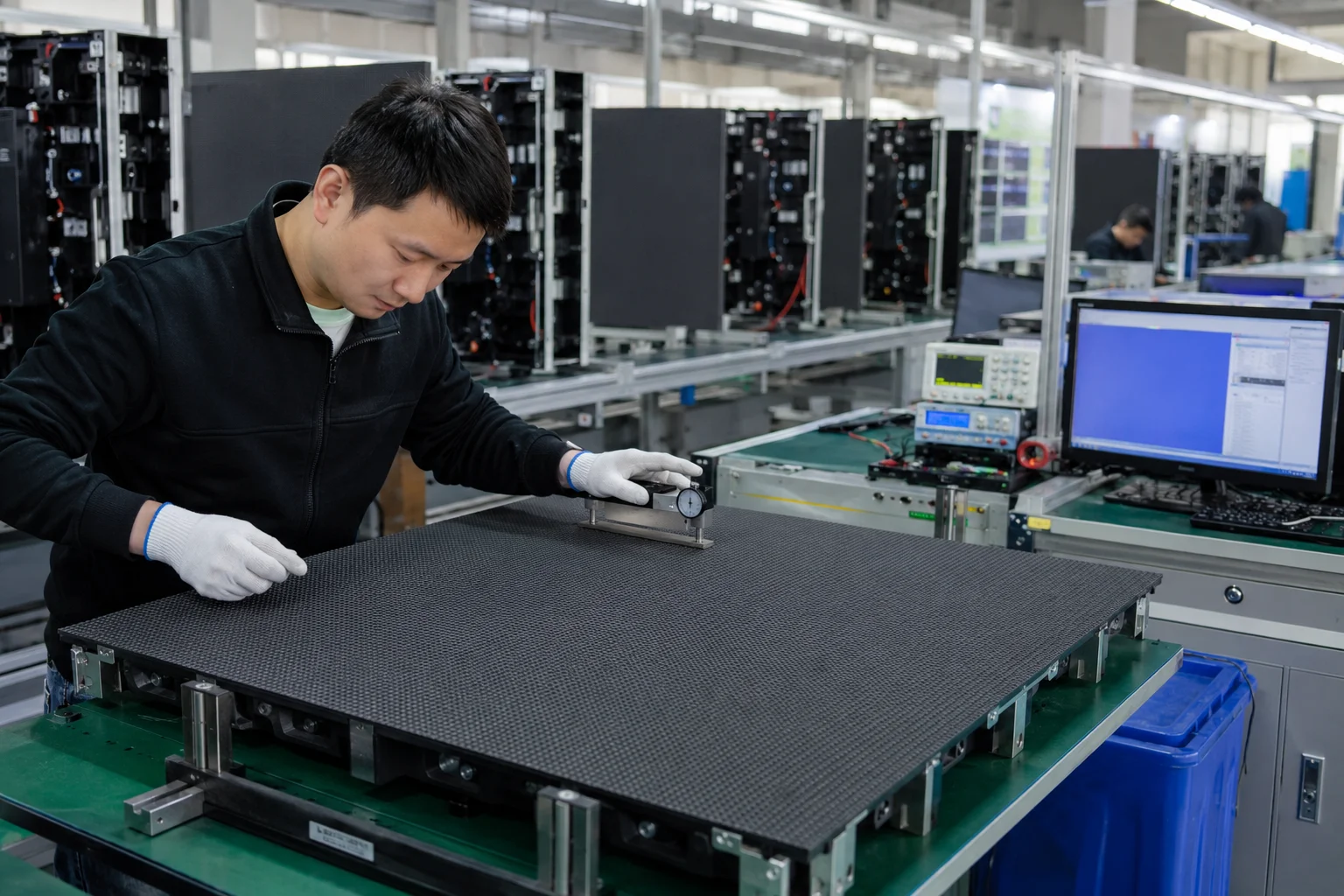
BiaoMing (Event Golden), a Zhengzhou-based manufacturer with 13 years of production experience, produces P1.9, P2.6, and P3.91 rental LED displays with die-cast aluminum cabinets and mainstream control system compatibility. The company holds TÜV Rheinland on-site certification with CE, RoHS, FCC, LVD, and CB product certifications, maintains inventory across 20+ overseas warehouses, and offers a 5-year warranty with lifetime technical support.
Next Steps
A rental LED display is the highest-revenue-per-square-meter equipment most event rental companies own, and also the highest-ticket item they buy. The math works when you pick the right pixel pitch, buy the right indoor/outdoor mix, and keep the wall booked.
Start with P3.91. Add P2.6 when close-viewing clients justify it. Buy outdoor when festival bookings show up. And keep 2-3% of your fleet in spare modules from day one.
To explore rental LED display options for your fleet, including P1.9, P2.6, and P3.91 indoor and outdoor configurations, visit the BiaoMing LED Display product page or contact the team for a quote with shipping options from a warehouse near your region.
Browse related equipment: Indoor vs. Outdoor LED Display Guide | 3D LED Dance Floor | 360 Photo Booth | Mirror Photo Booth
Ready to start your event business?
Get a free wholesale quote within 24 hours. Product details are confirmed by direct inquiry.
Get a Free Quote